Free Fillable PDF Forms for HR & Onboarding
Job applications, onboarding packs, leave requests and policy sign-offs shouldn’t mean printing, hand-filling and re-scanning — or handing employee data to a cloud vendor. Build fillable HR forms in your browser and reuse them every hire.
Build an HR Form — Free- No uploads
- No account
- No per-seat cost
- GDPR-friendly

What is FormForge?
FormForge is a free, browser-based PDF form editor that turns any PDF into a fillable form — with no uploads, no account, and no software to install.
- Price
- Free — no account, no credit card, no sign-up
- Where files are processed
- Entirely in your browser; no PDF is ever uploaded
- Field types
- 7 — text, checkbox, radio, dropdown, signature, date, number
- Automatic field detection
- Yes — a neural network runs locally in your browser, offline once cached
- Signatures
- Draw or type as an image, plus optional certificate signing on export
- Mobile
- Full touch editor for phone and tablet
- Installable
- Yes — an installable PWA that opens PDFs from your OS
- Batch generation
- CSV/TSV mail-merge — up to 100 rows in, a ZIP of PDFs out
- Form checks
- 21 AcroForm compliance checks with one-click fixes
- Export format
- Fillable PDF (AcroForm) — opens in Adobe Reader, Preview, Chrome, Firefox
- Works offline
- Yes
- App languages
- 7 — English, German, Spanish, French, Italian, Brazilian Portuguese, Simplified Chinese
HR paperwork that fights you at every step
People-ops teams send the same documents to be filled over and over — and the tools built for it are either clunky or a compliance risk. Here is how FormForge answers each pain.
Candidates and new hires print your forms, fill them by hand, then scan them back.
Add real fillable fields to the PDF once. Applicants type straight into it in any PDF viewer and send it back clean — no printer, no scanner, no illegible handwriting.
Sensitive employee data plus a cloud form tool is a GDPR and DPA headache.
FormForge runs 100% in your browser. Personal data — names, addresses, ID numbers, salaries — never touches a server, so there is no vendor holding the files you build or fill.
You rebuild the same onboarding form in Word for every single hire.
Import your existing PDF, add the fields once, and reuse that template for every new starter. No re-creating layouts from scratch each time.
Signature lines on your offer letters and policies don’t work digitally.
Drop a signature field exactly where someone needs to sign. It exports as a standard PDF form field that works in Adobe Reader, Preview and mobile viewers.
Your onboarding pack is a flat PDF with no form fields at all, and dropping boxes onto forty blanks by hand takes an afternoon.
Click “Detect fields” and FormForge runs an object-detection model in your browser over the current page or the whole pack, proposing text boxes, checkboxes and signature fields where the blanks are. This is not the same as opening a PDF that already contains a form — here there are none to import, so they are inferred. One Cmd/Ctrl+Z undoes the entire run.
How HR teams build forms with FormForge
Three everyday HR workflows, from an existing PDF to a signed, reusable form — no software to install.
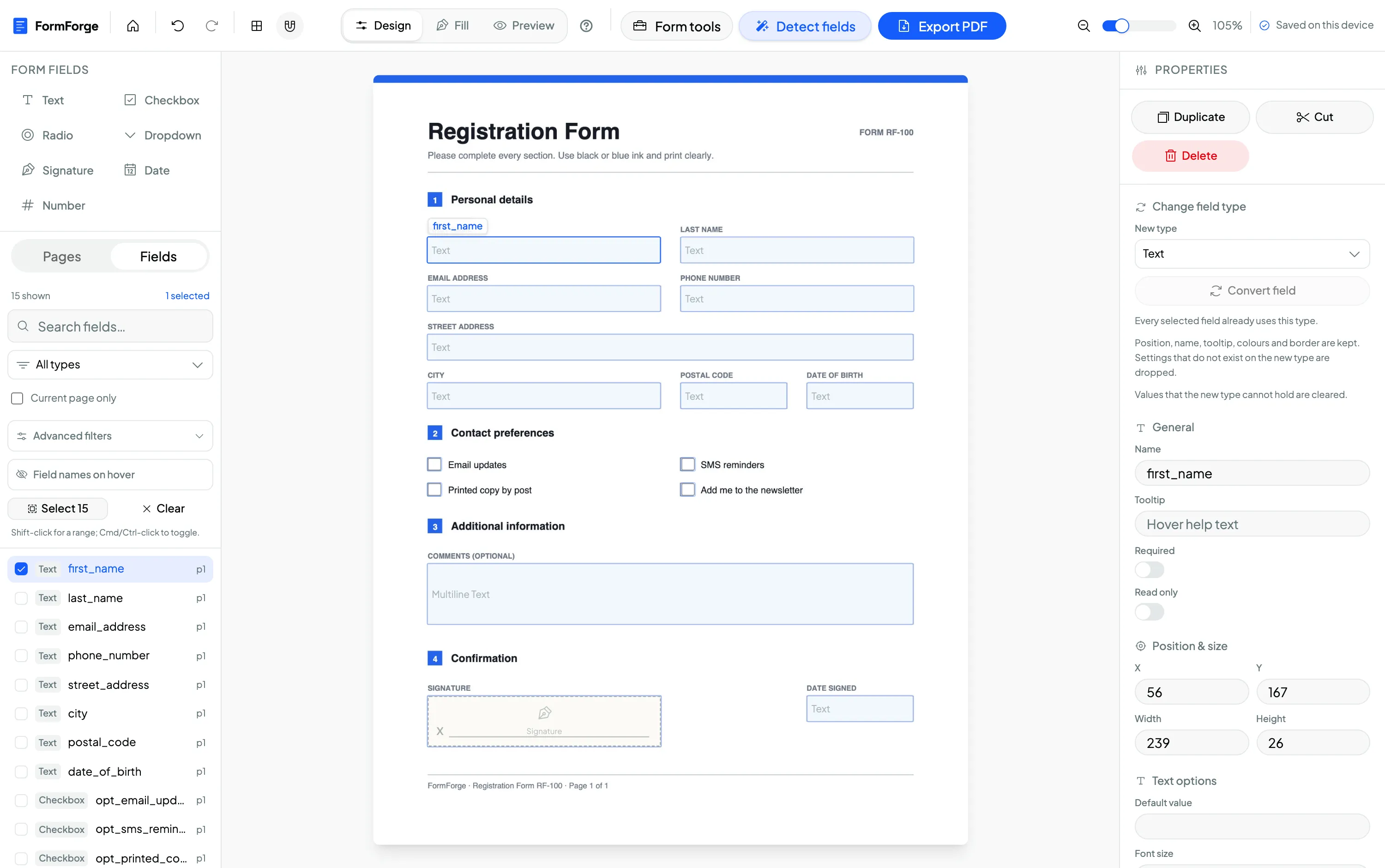
Make an offer letter or onboarding pack fillable
Import your existing offer-letter or onboarding PDF and drag text fields onto the name, start-date and salary lines. In minutes a static document becomes a form new hires can complete on any device.
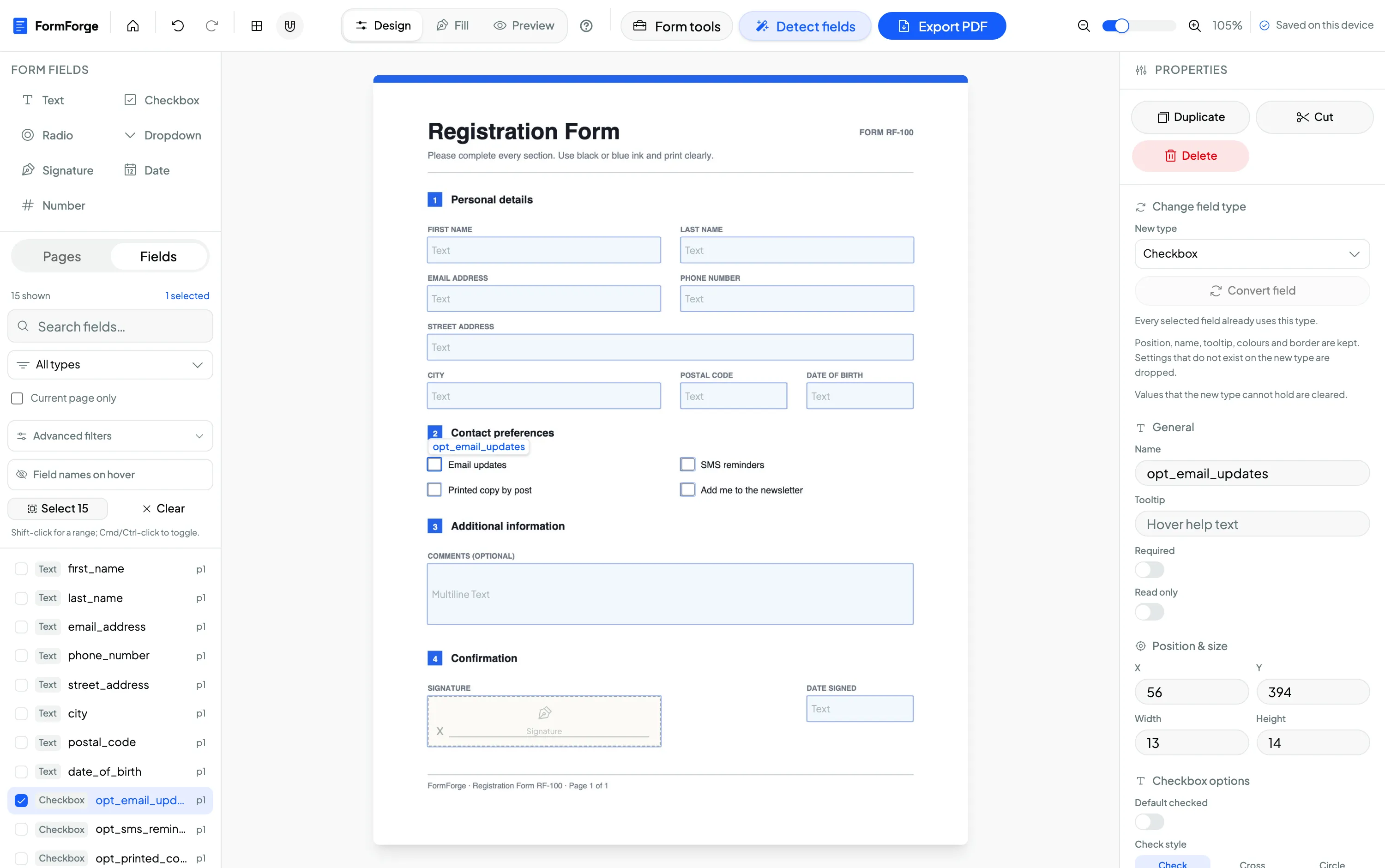
Build a job application form with dropdowns
Add dropdown fields for position and department, date fields for availability, and text fields for candidate details. Set names and required flags in the properties panel so every application comes back complete.
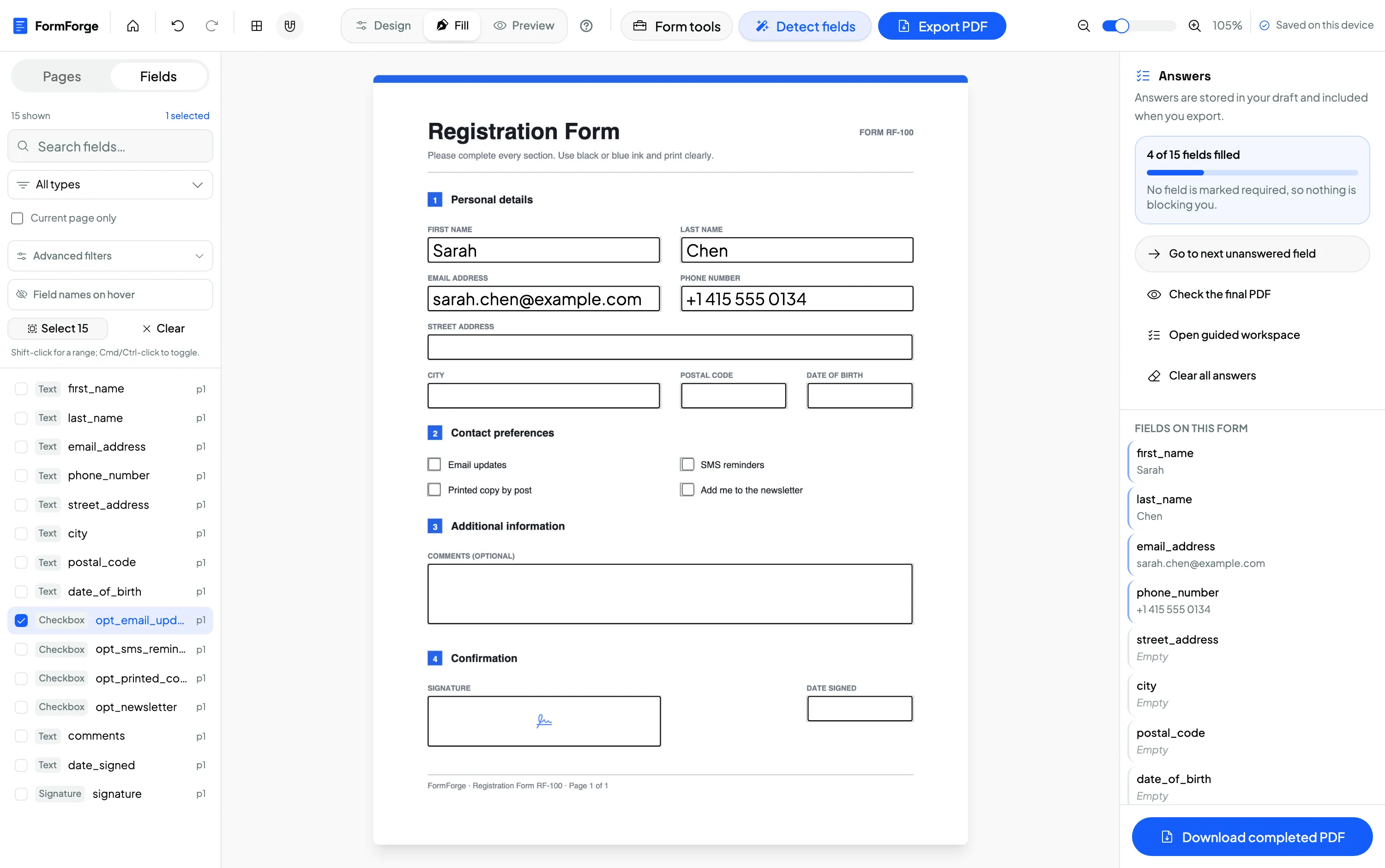
Add a policy acknowledgement with signature + date
Place a checkbox to confirm the employee has read the policy, a signature field for their sign-off and a date field. Preview it exactly as they will, then export a standard fillable PDF.
Detect the fields on a multi-page onboarding pack, then set Required in one go
Run “Detect fields” across all pages of the flat PDF, then press Cmd/Ctrl+A or drag a marquee to select everything it produced. The properties panel switches to batch mode and shows how many fields are selected with a breakdown by type, so one flick of the Required toggle applies to every one of them as a single undo step. Add a shared tooltip while you are there.
Employee data never leaves your device
HR forms carry some of the most sensitive personal data an organisation holds — ID numbers, home addresses, salaries, health details. Because FormForge processes every PDF locally in your browser, those files are never uploaded to any server. There is no third-party processor holding your document contents, and no separate data-processing agreement to negotiate for the forms themselves — a real advantage when your DPO reviews new tooling.
Client-side processing
PDF rendering, editing and export all happen in the browser tab — no server round-trip for the file.
No employee data uploaded
Personal data typed into your forms is never transmitted. You can verify it in the browser’s network tab.
No DPA for the tool
With nothing uploaded, there is no processor relationship to cover the documents you build or fill.
Free to use — no per-seat cost
FormForge is free to use because it runs in your browser with no servers to pay for. There is no account, no credit card and no per-seat licence, so your whole HR team can build and share forms without a subscription eating into the budget.
- No account required
- No credit card
- No per-seat licence
- Every field type included
Questions from HR & people-ops teams
Is FormForge GDPR-friendly for employee data?
Can applicants fill the form without installing anything?
Can I add a signature line to offer letters and policies?
Does it cost anything for a whole HR team?
Can I edit our existing PDF templates?
What HR forms can I make fillable?
Does it work if I switch computers or lose my draft?
Can FormForge add the fields to an onboarding pack automatically?
Related use cases & guides
See how neighbouring teams build fillable PDFs, or read a step-by-step guide.
Small Business & Freelancers
Invoices, waivers and client agreements built free and kept on your device.
Legal Professionals
Intake forms, engagement letters and contracts with signature and date fields.
How to create a fillable PDF form for free
A step-by-step guide to adding fields and exporting a form — no software.
How to add a signature field to a PDF
Place a reusable signature box for offer letters and policy sign-offs.
AI field detection
Let FormForge find the text boxes, checkboxes and signature fields on a flat onboarding PDF.
Batch editing
Select dozens of detected fields at once and set Required, tooltips or sizes in one undo step.
Build Your First HR Form Now
Free to use. No account, no credit card, no uploads. Runs entirely in your browser — employee data never leaves your device.
Start Building — Free