Fillable PDF Forms for Government & Administration — Free
Turn the static, scanned application forms citizens must print and hand-fill into proper fillable PDFs — without sending a single document to a cloud service. FormForge runs entirely in your browser, so the file never leaves the machine.
Make a Form Fillable — Free- Nothing uploaded
- No account
- No installation
- Runs in the browser

What is FormForge?
FormForge is a free, browser-based PDF form editor that turns any PDF into a fillable form — with no uploads, no account, and no software to install.
- Price
- Free — no account, no credit card, no sign-up
- Where files are processed
- Entirely in your browser; no PDF is ever uploaded
- Field types
- 7 — text, checkbox, radio, dropdown, signature, date, number
- Automatic field detection
- Yes — a neural network runs locally in your browser, offline once cached
- Signatures
- Draw or type as an image, plus optional certificate signing on export
- Mobile
- Full touch editor for phone and tablet
- Installable
- Yes — an installable PWA that opens PDFs from your OS
- Batch generation
- CSV/TSV mail-merge — up to 100 rows in, a ZIP of PDFs out
- Form checks
- 21 AcroForm compliance checks with one-click fixes
- Export format
- Fillable PDF (AcroForm) — opens in Adobe Reader, Preview, Chrome, Firefox
- Works offline
- Yes
- App languages
- 7 — English, German, Spanish, French, Italian, Brazilian Portuguese, Simplified Chinese
Public-sector paperwork, without the usual trade-offs
Public offices need forms that work for everyone, on tight budgets, under strict data-protection rules. Here is how FormForge addresses each constraint — plainly, no overselling.
Citizens receive scanned, static PDFs they can only fill by printing them out.
Import the existing PDF, add real fields where the blanks are, and republish it. Citizens type into it directly and return a clean, legible document — no printer required.
Data-protection rules forbid uploading documents to third-party cloud tools.
FormForge processes every PDF locally in your browser. Nothing is transmitted to any server, so there is no external processor holding the document — and no vendor agreement to negotiate for the file contents themselves.
There is no budget or procurement path for an Acrobat licence on every desk.
FormForge is free to use, with no account, no credit card and nothing to install. It works on locked-down office machines because all it needs is a standard web browser.
A published form has to open correctly for every citizen, on any device.
Fields export as standard AcroForm fields, so the finished PDF fills in Adobe Reader, macOS Preview and common mobile viewers — no special software on the citizen’s side.
Your form inventory is hundreds of scanned, print-only PDFs, and re-fielding each one by hand is why the backlog never moves.
“Detect fields” analyses the page in your browser and proposes text boxes, checkboxes and signature fields on a PDF that has none — exactly the scanned kind citizens can only print. Run it on the current page or across the whole document, then review and correct the result. The scan is analysed on the machine and never leaves it.
How public offices build forms with FormForge
Three routine administrative tasks, each handled start to finish in the browser — no software to request from IT.
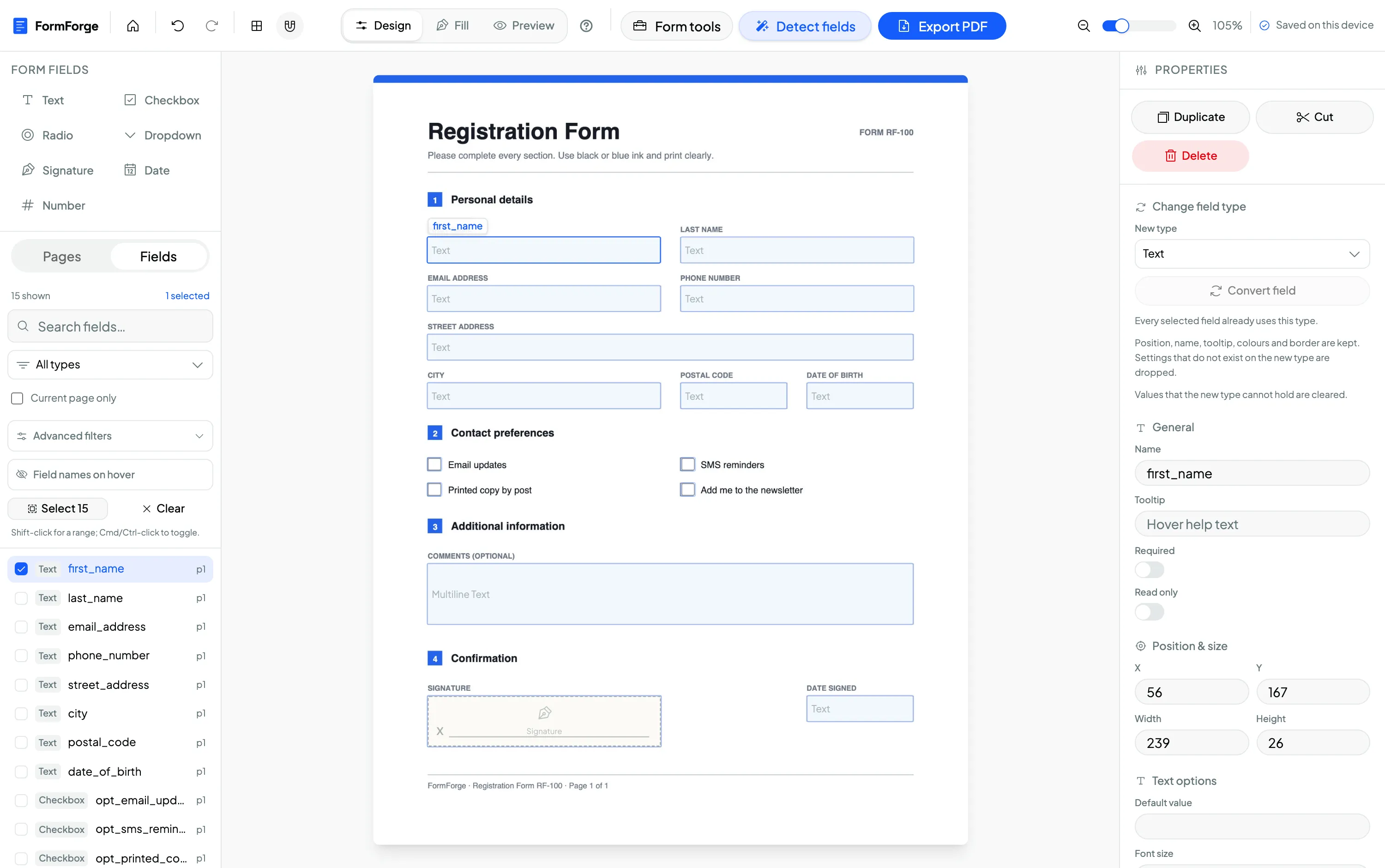
Digitize an existing paper application form
Open the scanned or static application PDF and place text fields on every blank line — name, address, reference number, date. What used to be a print-and-post form becomes one citizens can complete on screen.
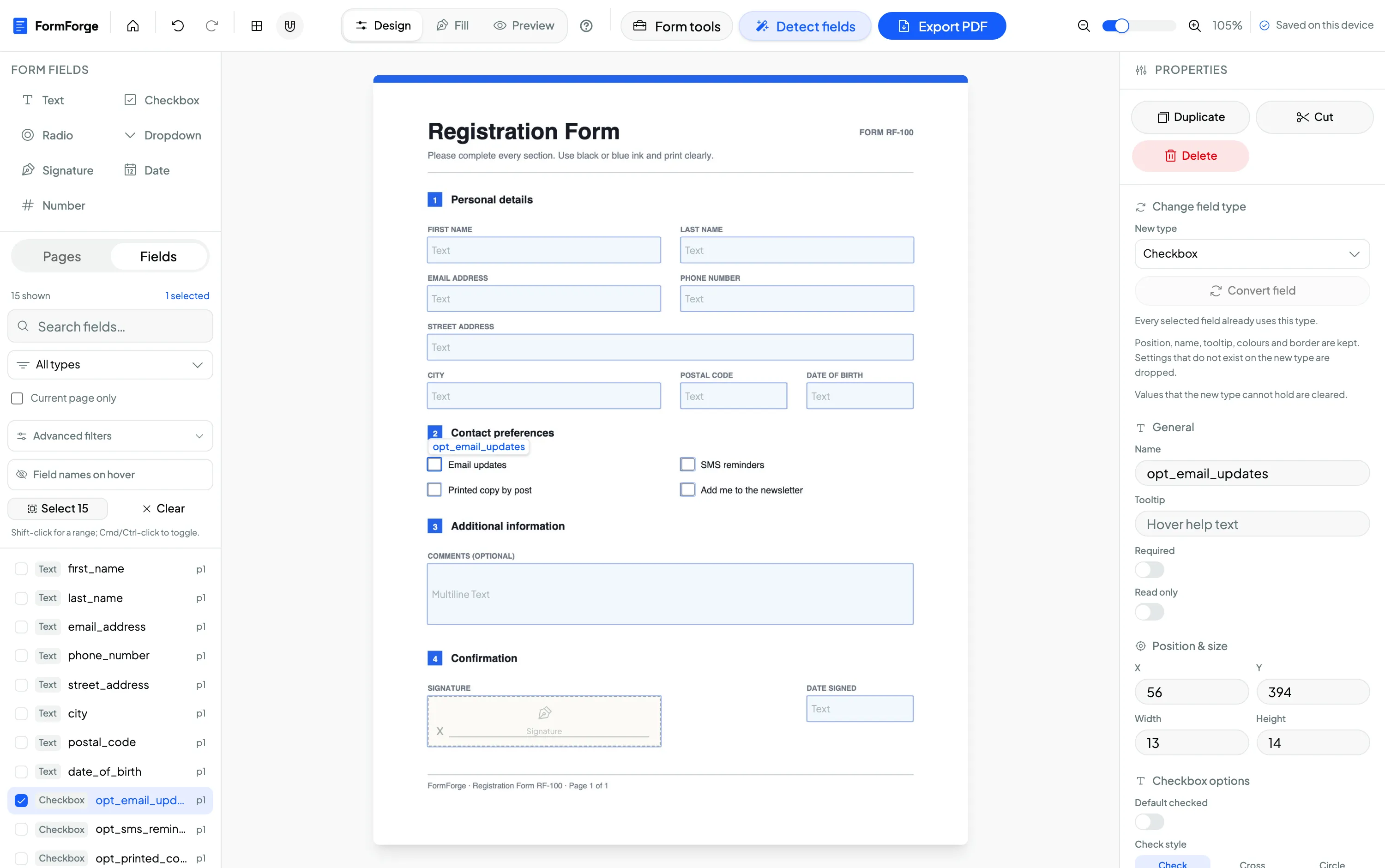
Build an internal request or approval form
Add checkboxes for the options, a date field for the decision, and text fields for the details and sign-off. Set clear field names and required flags in the properties panel so every submission comes back complete.
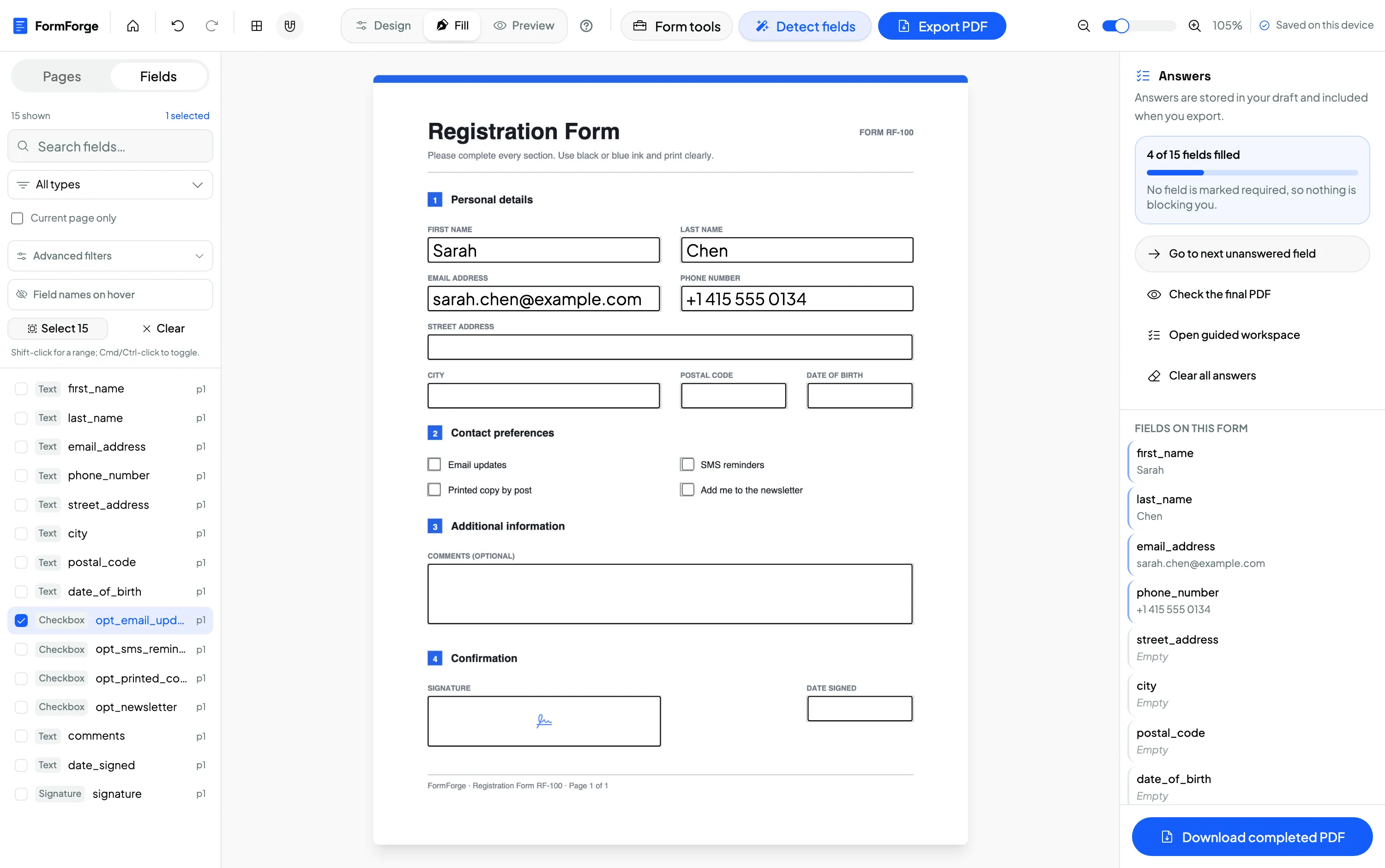
Update last year’s form by editing its existing fields
Import a PDF that already has form fields, adjust the labels, dates and options that changed, then preview it exactly as a citizen will see it before you export the updated version.
Work through a legacy scanned form, then set the flags once for every field
Run “Detect fields” across all pages of the scanned application form, then use the field list panel to filter by type and select everything shown in one click. With the whole selection active the properties panel switches to batch mode, so the print flag, include-in-submission and a shared tooltip apply to every field at once, as a single undo step. Consistency across a long form stops being a manual checklist.
The document never leaves the machine
Public bodies handle citizen data under some of the strictest rules there are, and most cloud form tools are ruled out on that basis alone. FormForge is different by design: every PDF is opened, edited and exported inside your browser tab. No document — and no data typed into it — is ever sent to a server. Because there is no upload, there is no third-party processor holding the file and no separate data-processing agreement to negotiate for the document contents. FormForge does not provide legal advice; your data-protection officer remains the authority on your overall process.
Processed in the browser
Rendering, field editing and export all happen locally in the tab — the file is never transmitted.
Nothing transmitted
No document or citizen data leaves the device. You can confirm it in the browser’s network tab.
No vendor agreement for the file
With nothing uploaded, there is no processor relationship covering the documents you build or fill.
Free to use — no licence, no procurement
FormForge is free to use because it runs in your browser with no servers to pay for. There is no account, no credit card and no per-seat licence, so an office can adopt it without a purchase order or an IT installation request — every clerk who has a browser can use it.
- No account required
- No credit card
- No installation
- Every field type included
Questions from public administration teams
Can we use this for documents containing citizen data?
Do we need IT approval to install anything?
Will a citizen without Adobe Acrobat be able to fill the form?
Is it really free for a public office?
Does it work offline or on a restricted network?
Can I update a form we published last year?
What kinds of government forms can I make fillable?
Can it turn our scanned, print-only forms into fillable ones automatically?
Related use cases & guides
See how neighbouring teams build fillable PDFs, or read a step-by-step guide.
Legal Professionals
Intake forms, engagement letters and contracts with signature and date fields.
HR & Recruiting
Onboarding packs and policy sign-offs, built free and kept on your device.
How to create a fillable PDF form for free
A step-by-step guide to adding fields and exporting a form — no software.
How to make a PDF fillable without Acrobat
Add form fields and export a fillable PDF free — no Adobe licence or install needed.
AI field detection
Propose fields on a scanned, flat application PDF instead of placing every box by hand.
Batch editing
Apply print, submission and tooltip settings consistently across every field in one step.
Make Your First Public Form Fillable
Free to use. No account, no installation, no uploads. Runs entirely in your browser — the document never leaves the machine.
Start Building — Free