Fillable PDF Forms for Law Firms & Legal Teams — Free
Client intake sheets, engagement letters, declarations and powers of attorney should be typed, not hand-scrawled — and they should never be uploaded to a third-party service. FormForge builds fillable legal PDFs entirely in your browser, so the document never leaves the machine.
Make a Legal Form Fillable — Free- Nothing uploaded
- No account
- No installation
- Runs in the browser

What is FormForge?
FormForge is a free, browser-based PDF form editor that turns any PDF into a fillable form — with no uploads, no account, and no software to install.
- Price
- Free — no account, no credit card, no sign-up
- Where files are processed
- Entirely in your browser; no PDF is ever uploaded
- Field types
- 7 — text, checkbox, radio, dropdown, signature, date, number
- Automatic field detection
- Yes — a neural network runs locally in your browser, offline once cached
- Signatures
- Draw or type as an image, plus optional certificate signing on export
- Mobile
- Full touch editor for phone and tablet
- Installable
- Yes — an installable PWA that opens PDFs from your OS
- Batch generation
- CSV/TSV mail-merge — up to 100 rows in, a ZIP of PDFs out
- Form checks
- 21 AcroForm compliance checks with one-click fixes
- Export format
- Fillable PDF (AcroForm) — opens in Adobe Reader, Preview, Chrome, Firefox
- Works offline
- Yes
- App languages
- 7 — English, German, Spanish, French, Italian, Brazilian Portuguese, Simplified Chinese
Legal paperwork, without the confidentiality trade-off
Legal teams handle privileged client material every day, on documents that repeat matter after matter. Here is how FormForge answers each pain — precisely, with no claim it cannot back up.
Uploading client documents to a SaaS tool is a confidentiality and professional-duty risk.
FormForge processes every PDF locally in your browser. The file — and every detail typed into it — is never transmitted to a server, so no outside party ever holds a privileged client document.
Clients hand-write intake forms in handwriting no one can read.
Add real fillable fields to the intake PDF once. The client types name, matter details and dates directly into it and returns a clean, legible document — no printing, no guesswork.
You rebuild the same intake, engagement letter and POA boilerplate for every new client.
Import the template PDF, place the fields once, and reuse that fillable version for every matter. The blanks change; the layout you drafted stays exactly as approved.
Signature and date lines on your documents do not work on screen.
Drop dedicated signature and date fields precisely where each party signs. They export as standard PDF form fields that work in Adobe Reader, Preview and common mobile viewers.
A forty-page contract needs a signature or initial box in a dozen places, and placing each one by hand is an hour you cannot bill.
Run “Detect fields” across the whole document and FormForge proposes text boxes, checkboxes and signature fields where the blanks and signature lines sit. It works on a flat PDF that carries no form fields — a different thing from opening a document that already has them. Everything is analysed inside your browser, so the client document never leaves the machine.
How legal teams build forms with FormForge
Three routine matters, each handled start to finish in the browser — nothing to request from IT, nothing sent to a vendor.
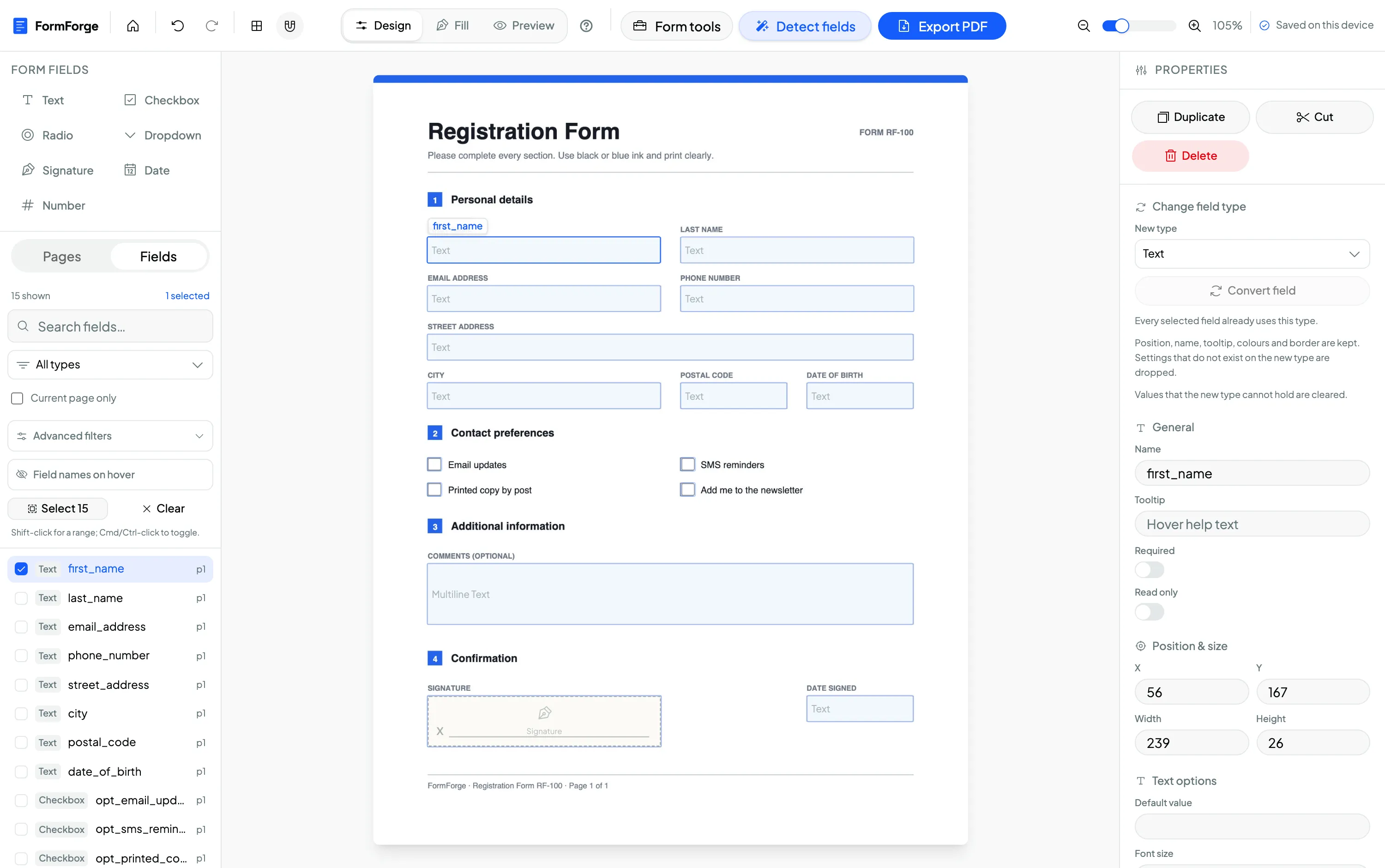
Build a client intake form
Open your intake PDF and place text fields for the client and matter details, date fields for key dates, and dropdown fields for matter type or jurisdiction. The client fills it on screen and returns it typed and complete.
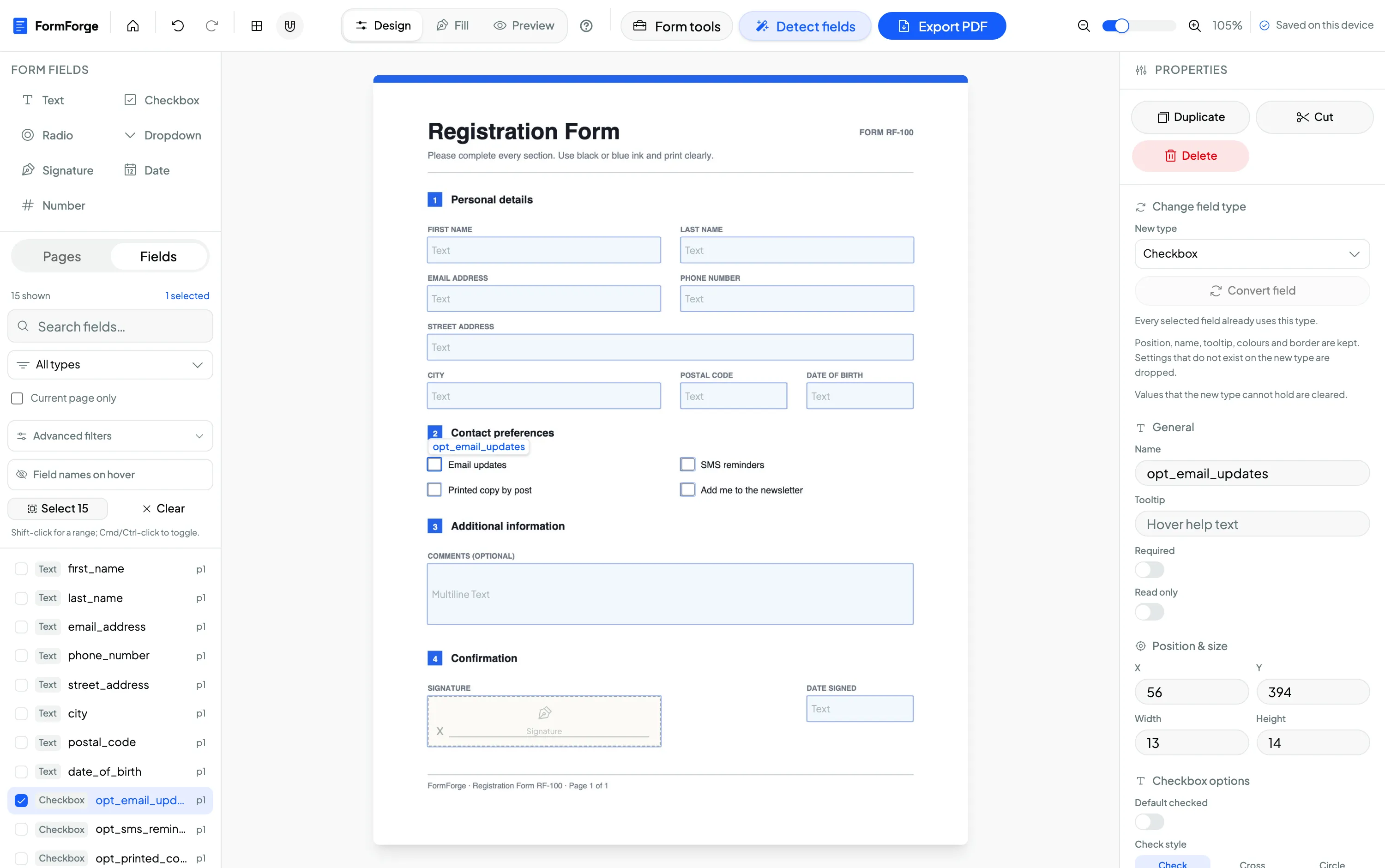
Make an engagement-letter template fillable
Import your standard engagement letter and add fields for the client name, the matter description and the fee terms. Name each field and mark the required ones in the properties panel, then reuse the template for every new engagement.
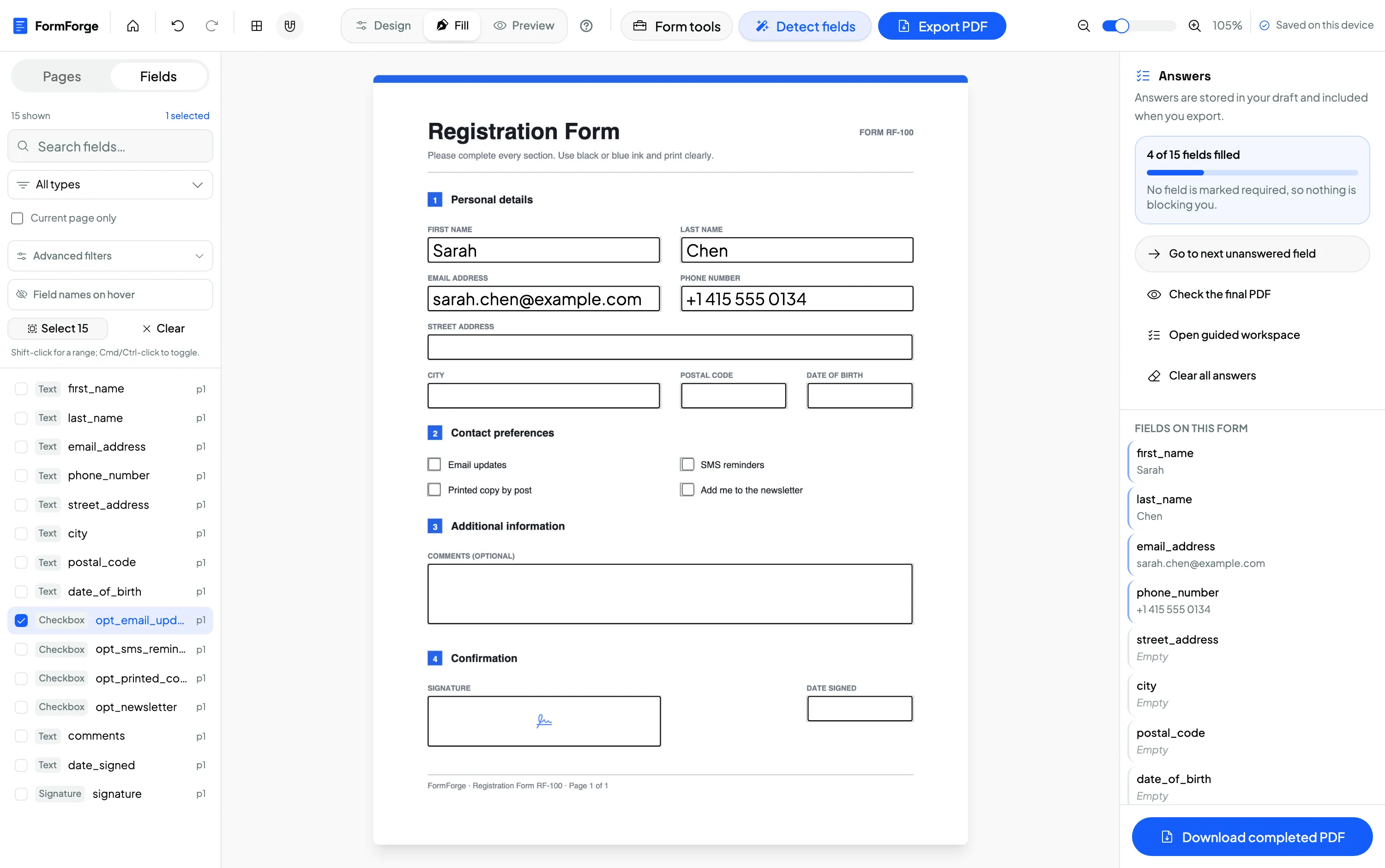
Add checkbox declarations with signature and date
Place checkboxes for each declaration or acknowledgement, a signature field where the client signs and a date field beside it. Preview the document exactly as the signer will see it, then export a standard fillable PDF.
Field a long contract, then apply tooltips and read-only in one pass
Detect the fields across all pages, then shift-click or drag a marquee to select the run of fields belonging to one clause. The properties panel switches to batch mode and shows the count with a type breakdown, so a tooltip, the “Read Only” toggle for a pre-filled matter reference, or a border width applies to the whole selection as a single undo step. Escape reverts a stray keystroke before it can overwrite forty fields.
The client document never leaves the machine
A lawyer’s duty of confidentiality does not pause for software. Most cloud form tools are ruled out the moment a privileged document would have to be uploaded to them. FormForge is built the other way: every PDF is opened, edited and exported inside your browser tab. No document — and no client detail typed into it — is ever sent to a server, so no third party ever holds the file. FormForge does not provide legal advice and makes no compliance certification; your own professional judgement governs how you handle client material.
Processed in the browser
Rendering, field editing and export all happen locally in the tab — the file is never transmitted.
Nothing transmitted
No document or client data leaves the device. You can confirm it in the browser’s network tab.
No third party holds the file
With nothing uploaded, no outside processor ever stores the privileged documents you build or fill.
Free to use — for the firm’s work too
FormForge is free to use because it runs in your browser with no servers to pay for. There is no account, no credit card and no per-seat licence, and the terms grant use for both personal and commercial purposes — so a solo practitioner or a whole firm can build and reuse forms at no cost.
- No account required
- No credit card
- Free for commercial use
- Every field type included
Questions from lawyers & paralegals
Is this safe for privileged client documents?
Do clients need special software to fill the forms?
Can I protect the layout while allowing field input?
Is it free for commercial use?
Can I reuse a form template?
Can I add signature and date fields?
What kinds of legal forms can I make fillable?
Can it place the signature and initial boxes for me?
Related use cases & guides
See how neighbouring teams build fillable PDFs, or read a step-by-step guide.
Government & Administration
Applications, permits and records turned into fillable PDFs — kept on your device.
Small Business & Freelancers
Invoices, waivers and client agreements built free and kept entirely on your device.
How to create a fillable PDF form for free
A step-by-step guide to adding fields and exporting a form — no software.
How to add a signature field to a PDF
Place reusable signature and date fields for engagement letters and declarations.
AI field detection
Propose text, checkbox and signature fields across a long, flat contract in one run.
Batch editing
Set tooltips, read-only and borders across a whole clause of fields in one undo step.
Make Your First Legal Form Fillable
Free to use. No account, no installation, no uploads. Runs entirely in your browser — the client document never leaves the machine.
Start Building — Free